Google Nest Wireless Temperature Sensor Review: Specs, Pros and Cons
As an Amazon Associate we earn from qualifying purchases. Links on this page are affiliate links.
This google nest wireless temperature sensor review covers a device designed to improve comfort in specific rooms. It is a compact accessory that pairs with select Nest thermostats to provide localized climate data. The two specs that define this unit are its Bluetooth Low Energy connection and its power source, a CR2 3V lithium battery. These features allow for flexible placement away from wiring. You can mount it on a wall or set it on a shelf. The sensor transmits readings to your thermostat, enabling more precise temperature control throughout your home without complex installation.
What stands out
- Connects via Bluetooth Low Energy for easy setup
- Runs on a single CR2 3V lithium battery
- Compatible with Nest Learning Thermostat (3rd Gen) and Nest Thermostat E
- Allows placement up to 50 feet from the thermostat
- Supports adding up to 6 sensors per thermostat
Who it fits
Good fit for
This sensor suits homeowners with Nest Learning Thermostats or Nest Thermostat E who experience uneven heating or cooling in certain areas. If you have a large house with distinct zones, such as a baby’s room or a sunroom, you can place sensors in those spaces to prioritize comfort. The wireless design and battery power make it ideal for renters or anyone who cannot install wired devices. You can manage schedules and room priorities directly through the Nest app, making it a practical tool for multi-room climate management.
Who should skip it
You should look at another option if you do not own a compatible Nest thermostat. This sensor does not work with other brands or universal smart thermostats. It also lacks Wi-Fi connectivity, relying solely on Bluetooth Low Energy, which means it cannot operate independently of your Nest hub. If you need a sensor for a system outside the Nest ecosystem, this accessory will not function. Additionally, if you prefer a hardwired solution to avoid battery changes, the battery-powered design may not meet your needs.
Verdict: The Google Nest Wireless Temperature Sensor is a straightforward way to add zoned comfort to compatible Nest thermostats. Its simple setup and reliable battery life make it a practical choice for multi-room climate control.
Key specs for this sensor
Connectivity: Bluetooth Low Energy
This connection type uses minimal power to communicate with your thermostat. It allows the sensor to send data without draining the battery quickly. You do not need a separate hub for this link. This makes installation simpler than Zigbee or Z-Wave devices. Check your thermostat’s support list to ensure it accepts this signal type.
Power Source: CR2 3V lithium battery
The device runs on a single CR2 lithium battery. This power source offers a long operational life, often lasting up to two years. You do not need to wire it into your home’s electrical system. This allows placement in rooms where outlets are scarce. You will need to replace the battery occasionally to keep the sensor active.
Mounting Type: Wall, shelf
You can attach this sensor to a wall or set it on a flat surface. This flexibility helps you position it away from direct sunlight or drafts. Proper placement ensures accurate temperature readings for the room. You do not need complex tools for setup. This ease of placement makes it suitable for renters or temporary room adjustments.
System Compatibility: Nest Learning 3rd Gen, Nest E
This sensor only works with specific Google Nest thermostats. It does not support third-party brands or older models. You must verify your current thermostat is the 3rd Generation Learning or the Nest E. This limitation restricts your smart home ecosystem to Google’s hardware. Check your device model before purchasing to avoid compatibility issues.
Design and Build Overview
The Google Nest Wireless Temperature Sensor presents a minimal physical profile. According to the listing, the unit measures 1.9 inches in length and width, with a height of 1.9 inches. Its width is listed at 0.8 inches. The device weighs 1.6 ounces. These dimensions allow it to sit discreetly on a shelf or hang on a wall without dominating the space. The color is white, which helps it blend into most interior decors. The listing describes the design as simple, noting that it fits into any home style.
Power comes from a single CR2 3V lithium battery. The listing states this battery can last up to two years. This long lifespan means you rarely need to access the device for maintenance. The sensor connects via Bluetooth Low Energy. This wireless link removes the need for complex wiring. You control the device through the Nest app on your phone. The app lets you set schedules and prioritize specific rooms.
Mounting is flexible. You can hang the sensor on the wall or place it on a shelf. This layout choice lets you position the unit in the room that matters most to you, such as a nursery or living room. The listing notes you can add up to six sensors for each compatible thermostat. This allows you to balance temperatures across different areas of your home. The physical build supports easy placement in various locations without requiring permanent installation.
Setup and Everyday Use Guide
Setting up this sensor is straightforward. You hang it on the wall or place it on a shelf. The listing notes it is easy to set up. You do not need complex wiring. The unit runs on a CR2 3V lithium battery. This battery is included. It provides up to two years of power. This long life means you rarely need to replace it. The sensor connects via Bluetooth Low Energy. This wireless link allows for flexible placement. You can position it up to fifty feet from the thermostat. This range lets you place it in specific rooms. You might put it in a baby’s room or living area. The sensor tells the thermostat the temperature in that room. The thermostat uses that reading to control the system. It turns on or off to keep that room at your desired temperature. You control the sensor using the Nest app. You can set a schedule. You also choose which room to prioritize. This feature helps manage comfort in different spaces. You can add up to six sensors for each compatible Nest thermostat. This allows for detailed climate control across your home. The device is compatible with the Nest Learning Thermostat, 3rd Gen, and Nest Thermostat E. You should check system compatibility before purchasing. The sensor blends into your home with its simple design. It is white and compact. Daily use involves letting the sensor gather data. The app handles the rest. You adjust settings remotely. The system maintains the temperature you set. This process is automatic once configured. You get consistent comfort in the prioritized room.
Before you buy this sensor
You need a compatible Nest thermostat to use this sensor. The listing confirms support for the Nest Learning Thermostat, 3rd Gen, and the Nest Thermostat E. Check your current model before purchasing. If you have a different brand thermostat, this accessory will not work. You can add up to six sensors per thermostat. This allows you to prioritize specific rooms like nurseries or living areas. The sensor uses Bluetooth Low Energy, so no hub is required. Battery replacement is needed every two years. You must buy CR2 3V lithium batteries separately. The Nest app controls scheduling and room priority. This device complements your existing smart home ecosystem. It does not replace your thermostat. It only provides localized temperature data. Ensure your home Wi-Fi is stable for app communication. This sensor fits well with other Nest products. It helps balance comfort across different zones in your home. It is a simple add-on for precise climate control.
Check before you buy
- Verify your thermostat is a compatible Nest model.
- Confirm you have the Nest app installed.
- Check if you need extra CR2 batteries.
- Ensure you want to prioritize specific rooms.
- Decide how many sensors fit your home layout.
The product at a glance
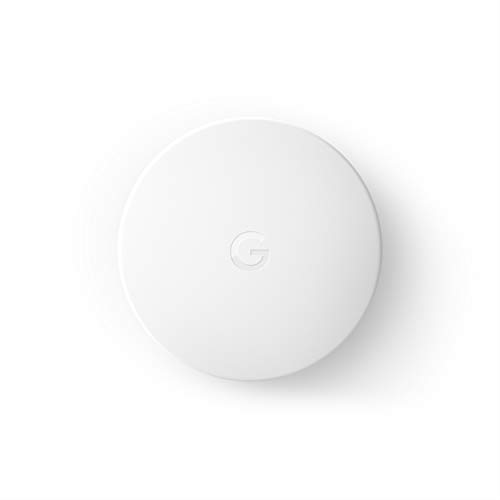
Google Nest Wireless Temperature Sensor
Best for: Nest thermostat owners needing room-specific temperature control
- Accessory Type
- Temperature sensor
- System Compatibility
- Nest Learning 3rd Gen, Nest E
- Power Source
- CR2 3V lithium battery
- Connectivity
- Bluetooth Low Energy
- Sensor Functions
- Temperature
- Mounting Type
- Wall, shelf
View on Amazon: Google Nest Wireless Temperature Sensor Affiliate link
The Google Nest Wireless Temperature Sensor uses Bluetooth Low Energy to send readings to compatible thermostats. It runs on a single CR2 battery with a two-year lifespan. You can place it on a shelf or mount it on a wall. The device measures temperature only. You control it via the Nest app. It works with the Nest Learning Thermostat and Nest Thermostat E. This sensor helps balance comfort in specific rooms.
Pros
- Bluetooth Low Energy wireless connection
- Up to two-year battery life
- App-based scheduling and prioritization
- Supports up to six sensors per thermostat
Cons
- Limited to temperature monitoring only
- Requires compatible Nest thermostat hardware
- 50-foot wireless range limit
Good fit if
- You want to prioritize comfort in a specific room like a nursery
- You already own a compatible Nest thermostat
- You prefer app-controlled scheduling over manual adjustments
Skip if
- You need humidity or air quality monitoring
- You use a thermostat brand other than Nest
- You require Wi-Fi connectivity for remote access
Verdict: The Google Nest Wireless Temperature Sensor is a focused tool for users with compatible Nest thermostats who need precise room-level temperature control. It fits homes where specific rooms require different heating or cooling priorities.
Specifications side by side
| Spec | Google Nest Wireless Temperature Sensor |
|---|---|
| Accessory Type | Temperature sensor |
| System Compatibility | Nest Learning 3rd Gen, Nest E |
| Power Source | CR2 3V lithium battery |
| Connectivity | Bluetooth Low Energy |
| Sensor Functions | Temperature |
| Mounting Type | Wall, shelf |
| Control Method | Nest app |
| Dimensions | 1.9 × 0.8 × 1.9 inches |
| Weight | 1.6 ounces |
| Size | 1 count |
| Color | White |
| Model | T5000SF |
Frequently asked questions
Does the Google Nest Wireless Temperature Sensor require a hub?
No, it does not require a separate hub. The device uses Bluetooth Low Energy to connect directly to your compatible Nest thermostat. This direct link simplifies the setup process and removes the need for additional networking hardware. You only need the thermostat itself to receive the temperature data from the sensor.
Which Nest thermostats are compatible with this sensor?
The sensor works with the Nest Learning Thermostat, 3rd Generation, and the Nest Thermostat E. It is designed specifically for these models to provide room-specific temperature control. You must verify that your current thermostat is one of these supported devices before purchasing the sensor for use.
How do you power the Google Nest Wireless Temperature Sensor?
The unit runs on a CR2 3V battery. This power source allows the device to operate wirelessly without any wiring. You simply insert the battery to begin operation. The Bluetooth Low Energy connection helps conserve power, ensuring the battery lasts through regular daily use in your home.
What are the physical dimensions of the sensor?
The sensor measures 1.9 inches in length and width, with a height of 1.9 inches. The width is listed at 0.8 inches. It weighs 1.6 ounces. These compact dimensions allow it to fit discreetly on a shelf or hang on a wall without dominating the visual space in your room.
Who is this sensor best suited for?
This sensor is best for Nest thermostat owners who need precise room-level temperature control. It is ideal for homes where specific rooms require different heating or cooling priorities. If you have a compatible Nest thermostat and find certain areas of your home are consistently too warm or cold, this accessory addresses those gaps.
Can I use this sensor with non-Nest thermostats?
No, you need a compatible Nest thermostat to use this sensor. The listing confirms support for the Nest Learning Thermostat, 3rd Gen, and the Nest Thermostat E. If you have a different brand thermostat, this sensor will not work with your system. You must have one of the supported Nest models.