7 Best Smart Switches for Ceiling Fans, Compared
As an Amazon Associate we earn from qualifying purchases. Links on this page are affiliate links.
Finding the best smart switches for ceiling fans requires matching your wiring and hub needs. The Lutron 3-Way Motion Sensor Light Switch leads because it supports 3-Way circuit types for flexible installation. We compared 7 options using only the specifications published on the listings. This data-driven approach ensures you choose a device that fits your home's electrical setup. Read on to decide which switch offers the right combination of control and compatibility for your space.
Quick picks
The best fit for you
- You want automatic lighting in a hallway Lutron 3-Way Motion Sensor Light Switch The motion sensor activates lights without a neutral wire.
- You need precise wall speed control Lutron Caseta Smart 4-Speed Fan Control This dedicated 4-speed fan control requires a hub.
- You want independent light and fan switches Lutron Maestro Dual Dimmer and Switch The dual dimmer offers separate controls in one device.
- You use Z-Wave and keep original switches ENERWAVE Z-Wave Plus Hidden Fan Relay The hidden relay works with existing switches and hubs.
Our 7 picks

Lutron 3-Way Motion Sensor Light Switch
Best for: Hands-free lighting in rooms without neutral wires
- Application
- Lights, Ceiling Fans (what this guide is about)
- Wiring Requirement
- No Neutral Required
- Circuit Type
- Single Pole, 3-Way
- Switch Function
- Motion Sensor
- Maximum Load
- 5A, 600W Incandescent, 360W CFL/LED
- Dimensions
- 2.3 × 2.3 × 4.5 inches
This Lutron switch uses motion sensing to control lights and ceiling fans automatically. It supports 5-amp fan loads and 360W LED bulbs. You can choose between occupancy mode for auto-on/off or vacancy mode for manual activation. The device requires no neutral wire, simplifying installation in older homes. It includes adjustable delay settings from one to thirty minutes. This model is ideal for spaces where you need hands-free lighting control without a smart hub.
Pros
- Supports up to 5-amp ceiling fan loads
- No neutral wire required for installation
- Adjustable delay timers from 1 to 30 minutes
- Occupancy and vacancy mode settings
- Senses daylight to prevent unnecessary lighting
Cons
- Requires a smart hub for remote app control
- Lacks manual override toggle for constant-on mode
- Motion sensor range is limited to single rooms
Good fit if
- You want automatic lighting without a smart hub
- You have no neutral wire in your switch box
- You need hands-free control for a bathroom or garage
Skip if
- You require voice control or remote app access
- You need to control multiple fans simultaneously
- You prefer a standard toggle switch without sensors
Verdict: Lutron MS-OPS5M Ivory Motion Sensor Switch is a practical solution for users who want automatic lighting without complex setup. It fits well in rooms where you enter and leave frequently, such as hallways or closets, but lacks the connectivity features needed for whole-home automation.
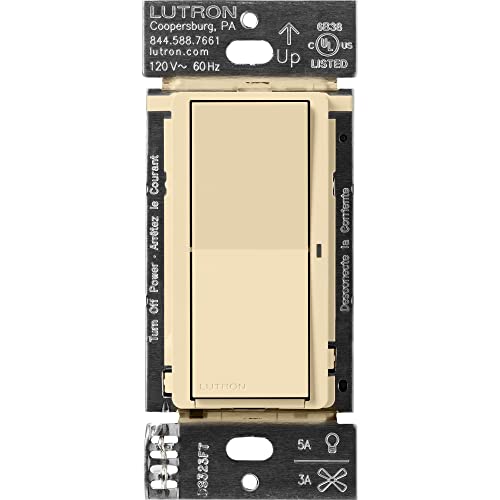
Lutron Caseta Claro Smart Switch
Best for: Reliable fan control with Lutron Hub
- Application
- Lights, Ceiling Fans (what this guide is about)
- Smart Home Compatibility
- Alexa, Apple Home, Google Assistant
- Hub Requirement
- Hub Required
- Wiring Requirement
- Neutral Required
- Circuit Type
- 3-Way
- Switch Function
- On/Off Switch
The Lutron Caseta Claro is a smart on/off switch designed for lighting and ceiling fans. It supports up to 5A for lights and 3A for fans. You need a neutral wire and the Lutron Smart Hub to use it. The switch works with Alexa, Apple Home, and Google Assistant. It features a 3-way setup option using a Pico remote. The design matches existing Claro switches for a consistent look.
Pros
- Supports 5A lighting and 3A fan loads
- Compatible with Alexa, Apple Home, and Google Assistant
- Enables wireless 3-way control via Pico remote
- Requires only neutral wire for installation
Cons
- Requires a separate Lutron Smart Hub
- Only provides on/off control, no dimming
- Wallplate is sold separately
Good fit if
- You want reliable smart control for ceiling fans
- You already own or plan to buy a Lutron Hub
- You prefer a classic switch aesthetic
Skip if
- You do not have a neutral wire
- You want to avoid buying a separate hub
- You need dimming functionality for fans
Verdict: The Lutron Caseta Claro Smart Switch for Fans offers robust smart home integration for lighting and ceiling fans. It is ideal for users who already use the Lutron ecosystem and need a reliable on/off switch with wide platform compatibility.
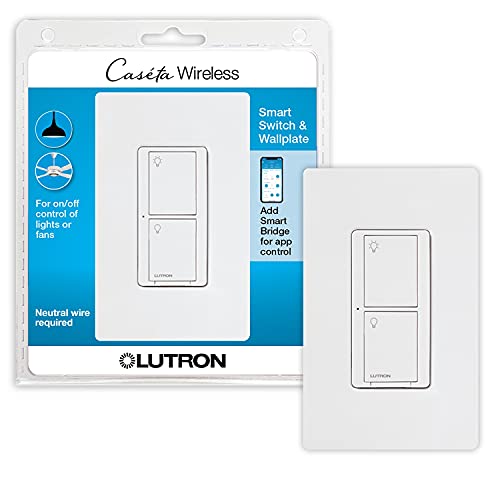
Lutron Caseta Smart Switch for Lights and Fans
Best for: Basic on/off fan control with a Lutron hub
- Application
- Lights, Ceiling Fans (what this guide is about)
- Smart Home Compatibility
- Alexa, Apple Home Kit, Google Assistant
- Hub Requirement
- Caséta Smart Hub required
- Wiring Requirement
- Neutral required
- Circuit Type
- Single-pole/3-way
- Switch Function
- Smart Switch
View on Amazon: Lutron Caseta Smart Switch for Lights and Fans
The Lutron Caseta Original Smart Switch is an on/off switch designed for lights and ceiling fans. It requires a smart hub and a neutral wire for installation. The device supports up to 3.0A for fans and 600W for incandescent bulbs. You can control it via the Lutron app, voice commands, or the wall switch. It works with Alexa, Apple HomeKit, and Google Assistant.
Pros
- Compatible with Alexa, Apple HomeKit, and Google Assistant
- Supports up to 3.0A for ceiling fans
- Works with wireless Pico remote for added convenience
- Easy 3-way setup using a Pico remote
Cons
- Requires a dedicated smart hub for full functionality
- Needs a neutral wire for installation
- Only offers on/off control, not dimming
Good fit if
- You want reliable smart control for ceiling fans
- You already have a Lutron smart hub
- You prefer voice control via major assistants
Skip if
- You do not have a neutral wire in your switch box
- You want to avoid buying an additional smart hub
- You need dimming capabilities for your lights
Verdict: Lutron Caseta Original Smart Switch is a solid choice for users who already own a Lutron hub and need basic on/off control for fans. It lacks dimming, so skip it if you require brightness adjustment.

Lutron Caseta Smart Switch for Lights and Fans
Best for: Lutron ecosystem users needing simple fan control
- Application
- Lights, Ceiling Fans (what this guide is about)
- Smart Home Compatibility
- Apple Home, Alexa, Google Assistant
- Hub Requirement
- Hub Required
- Wiring Requirement
- Neutral Required
- Circuit Type
- Single-Pole, 3-Way, Multi-Location
- Switch Function
- On/Off Switch
View on Amazon: Lutron Caseta Smart Switch for Lights and Fans
This Lutron Caseta switch controls ceiling fans up to 6A and lights up to 600W. It requires a neutral wire and a separate Smart Hub for app control. You get single-pole or 3-way installation options. It works with Apple Home, Alexa, and Google Assistant. This model is ideal for you if you need reliable on/off fan control and already use the Lutron ecosystem.
Pros
- Controls ceiling fans up to 6A
- Supports lights up to 600W
- Compatible with Apple Home, Alexa, and Google Assistant
- Works with Pico remotes for multi-location control
Cons
- Requires a separate Smart Hub for smart features
- Only provides on/off control, not speed dimming
- Requires a neutral wire for installation
Good fit if
- You already own a Lutron Smart Hub
- You need simple on/off fan control
- You want compatibility with Apple Home or Google Assistant
Skip if
- You want built-in speed control without a hub
- Your switch box lacks a neutral wire
- You prefer a switch that works without additional hubs
Verdict: Lutron Caseta On/Off Fan Switch is a solid choice for users who already have a Lutron Smart Hub and want reliable app control for fans and lights. It fits best in homes where you need simple on/off switching rather than variable speed control.

Lutron Maestro Dual Dimmer and Switch
Best for: Single-pole light and fan control
- Application
- Ceiling Fans (what this guide is about)
- Circuit Type
- Single Pole
- Switch Function
- Dual Dimmer and Switch
- Maximum Load
- 75W LED, 300W Incandescent, 2.5A Fan
- Dimensions
- 1.5 × 2 × 4 inches
This Lutron Maestro unit combines a dimmer and a switch in one single-pole device. The top section dims up to 75W LED or 300W incandescent loads. The bottom switch controls a ceiling fan up to 2.5A or other lighting. It offers preset levels and delayed fade-to-off. You get two controls in one standard wall space. It fits single-location setups where you manage both light and fan independently.
Pros
- Combines dimmer and switch in one device
- Dims up to 75W LED bulbs
- Switches loads up to 2.5A for fans
- Includes preset light level and delayed fade
Cons
- Requires separate wallplate not included
- Limited to single-pole wiring only
- No smart connectivity or app control
Good fit if
- You need independent control for light and fan
- You have a single-pole switch location
- You want to save wall space
Skip if
- You require 3-way wiring capability
- You need smart home automation features
- You want a bundled wallplate
Verdict: Lutron Maestro Dual Dimmer and Switch provides two separate controls in one single-pole device. It suits you if you need independent fan and light management without smart features.

Lutron Caseta Smart 4-Speed Fan Control
Best for: Ceiling fans needing wall speed control
- Application
- Ceiling Fans (what this guide is about)
- Smart Home Compatibility
- Apple Home, Alexa, Google Assistant
- Hub Requirement
- Hub Required
- Circuit Type
- 3-Way
- Switch Function
- Fan Controller
- Dimensions
- 2.25 × 3.38 × 4.5 inches
The Lutron Caseta Smart Fan Control manages ceiling fans via the wall. It offers four speed settings and works with the Caseta Smart Hub. You can pair it with a Fan Pico remote for wireless operation. The switch connects with major voice assistants and smart home platforms. This white switch replaces standard wall controls for paddle fans.
Pros
- Four fan speed settings plus off
- Compatible with Amazon Alexa, Apple Home, and Google Assistant
- Pair with Fan Pico remote for wireless control
- Creates a 3-way switch setup without new wiring
Cons
- Requires the Caseta Smart Hub for operation
- Fan Pico remote is sold separately
- Wallmount bracket for Pico remote is sold separately
Good fit if
- You want to replace pull chains on ceiling fans
- You already use the Lutron Caseta ecosystem
- You need 3-way fan control without new wiring
Skip if
- You do not own a Lutron Smart Hub
- You want a switch with built-in wireless remote
- You need a dimmer for LED lights
Verdict: Lutron Caseta Smart Fan Control is a dedicated wall switch for ceiling fans that requires a hub. It suits users who want precise speed control and voice integration within the Lutron ecosystem.
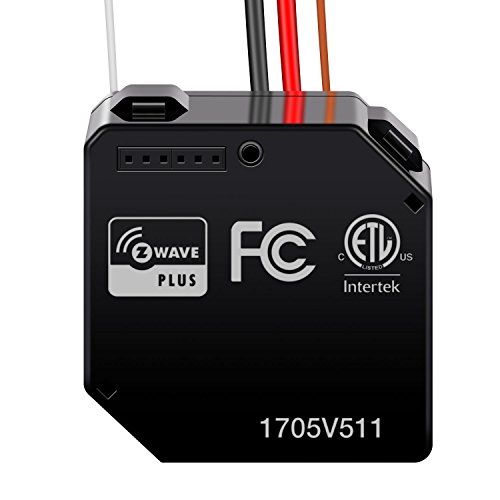
ENERWAVE Z-Wave Plus Hidden Fan Relay
Best for: Z-Wave users keeping original switches
- Application
- Lights, Ceiling Fans (what this guide is about)
- Smart Home Compatibility
- Alexa
- Hub Requirement
- Z-Wave Hub Required
- Connectivity
- Z-Wave Plus
- Wiring Requirement
- Neutral Required
- Circuit Type
- Single Pole
This hidden relay upgrades an existing wall switch for ceiling fans and lights. It requires a neutral wire and a Z-Wave hub to function. The module supports 10A loads and acts as a repeater to extend signal range. You can control it via smartphone or computer. It is ideal for users with Z-Wave ecosystems who want to keep their current switch hardware.
Pros
- Z-Wave Plus connectivity for reliable mesh networking
- Acts as a signal repeater to extend range
- Supports 10A maximum load for fans
- Compatible with Alexa for voice control
Cons
- Requires a neutral wire for installation
- Requires a separate Z-Wave hub
- Hidden design limits physical control options
Good fit if
- You already have a Z-Wave hub installed
- You want to keep your existing wall switch
- Your switch box has a neutral wire
Skip if
- You do not have a neutral wire
- You prefer a standalone smart switch without a hub
- You need direct local control without an app
Verdict: ENERWAVE Z-Wave Plus Relay is a hidden upgrade for fans in homes with existing switches and Z-Wave hubs. It fits users who prioritize mesh reliability and neutral wire availability over physical interface visibility.
Specifications side by side
| Spec | Lutron 3-Way Motion Sensor Light Switch | Lutron Caseta Claro Smart Switch | Lutron Caseta Smart Switch for Lights and Fans | Lutron Caseta Smart Switch for Lights and Fans | Lutron Maestro Dual Dimmer and Switch | Lutron Caseta Smart 4-Speed Fan Control | ENERWAVE Z-Wave Plus Hidden Fan Relay |
|---|---|---|---|---|---|---|---|
| Smart Home Compatibility | not specified | Alexa, Apple Home, Google Assistant | Alexa, Apple Home Kit, Google Assistant | Apple Home, Alexa, Google Assistant | not specified | Apple Home, Alexa, Google Assistant | Alexa |
| Hub Requirement | not specified | Hub Required | Caséta Smart Hub required | Hub Required | not specified | Hub Required | Z-Wave Hub Required |
| Connectivity | not specified | not specified | not specified | not specified | not specified | not specified | Z-Wave Plus |
| Wiring Requirement | No Neutral Required | Neutral Required | Neutral required | Neutral Required | not specified | not specified | Neutral Required |
| Circuit Type | Single Pole, 3-Way | 3-Way | Single-pole/3-way | Single-Pole, 3-Way, Multi-Location | Single Pole | 3-Way | Single Pole |
| Switch Function | Motion Sensor | On/Off Switch | Smart Switch | On/Off Switch | Dual Dimmer and Switch | Fan Controller | Relay |
| Maximum Load | 5A, 600W Incandescent, 360W CFL/LED | 5A lighting, 3A fan | Up to 600W, 5A LED/CFL, 3.0A fans | 600W Bulb, 6A Fan | 75W LED, 300W Incandescent, 2.5A Fan | not specified | 10A |
| Application | Lights, Ceiling Fans | Lights, Ceiling Fans | Lights, Ceiling Fans | Lights, Ceiling Fans | Ceiling Fans | Ceiling Fans | Lights, Ceiling Fans |
| Dimensions | 2.3 × 2.3 × 4.5 inches | 1.44 × 2.94 × 4.69 inches | 1.44 × 2.94 × 4.69 inches | 1.44 × 2.94 × 4.69 inches | 1.5 × 2 × 4 inches | 2.25 × 3.38 × 4.5 inches | 2.91 × 2.64 × 1.65 inches |
| Weight | 3.2 ounces | not specified | not specified | 3.2 ounces | not specified | not specified | not specified |
| Size | 1 Pack | 1 Pack | 120 volts | 1 Pack | 1 Pack | not specified | not specified |
| Color | Ivory | Ivory | White | White | White | White | Black |
| Model | MS-OPS5M-IV | DVRF-5NS-IV | PDW-5ANS-WH-A | PD-6ANS-WH | MACL-L3S25-WH | PD-FSQN-WH | ZWN-RSM1-PLUS |
For network infrastructure rather than fan controls, you can review specifications for the best smart managed network switches.
How to choose the right one
-
Check hub compatibility
Most smart fan switches require a dedicated hub to function. The Lutron Caseta models, such as the Claro and Original versions, list hub requirements in their attributes. Without this central controller, these devices cannot connect to your network or respond to app commands. If you already own a Lutron Smart Hub, these switches integrate seamlessly. You must verify your existing ecosystem before purchasing. Selecting a switch that matches your current hub avoids extra hardware costs and ensures reliable communication between your wall control and smart home system.
-
Verify wiring needs
Wiring availability dictates which switches you can install. The ENERWAVE Z-Wave Plus relay explicitly requires a neutral wire for operation. This component is essential for completing the circuit in many modern installations. If your junction box lacks a neutral wire, you must choose a model that does not need one. The Lutron motion sensor switch works without a neutral wire, making it suitable for older homes. Always inspect your wiring before buying. Choosing the wrong type leads to installation failure or unsafe electrical connections in your ceiling fan setup.
-
Match circuit type
Your existing switch configuration determines the compatible device type. The Lutron 3-Way Motion Sensor Light Switch supports 3-Way circuits. This allows control from multiple locations in the same room. If you have a single-pole setup, you need a different model. The Lutron Maestro Dual Dimmer is designed for single-pole applications. It provides independent control for lights and fans in one unit. Check your current switch setup carefully. Installing a 3-Way device in a single-pole box will not work properly and may cause electrical issues.
-
Assess connectivity options
Communication protocols affect how your switch connects to your home network. The ENERWAVE relay uses Z-Wave technology for mesh network reliability. This protocol requires a compatible Z-Wave hub to function correctly. Other Lutron models use proprietary wireless protocols that only work with Lutron hubs. You cannot mix these systems without additional bridges. Verify which protocol your hub supports. Selecting a switch with incompatible connectivity renders the smart features useless. You will be left with a standard manual switch instead of a smart control device.
-
Consider control granularity
Some switches offer basic on/off control, while others provide variable speed management. The Lutron Caseta Smart 4-Speed Fan Control allows precise speed adjustments from the wall. This is ideal for users who prefer manual speed tuning over app commands. Other models, like the Caseta Original, only handle basic on/off states. If you need dimming for lights, the Maestro Dual Dimmer offers that feature separately. Decide if you want variable control or simple switching. This spec determines how much manual adjustment you can perform directly from the wall plate.
Frequently asked questions
Do I need a neutral wire for these switches?
It depends on the model. The ENERWAVE Z-Wave Plus Hidden Fan Relay explicitly requires a neutral wire. Most other listed options, including the Lutron 3-Way Motion Sensor and Caseta series, do not list this requirement. Check the wiring attributes before buying to ensure your box has the necessary connections.
Can I control fan speed with any of these?
Only the Lutron Caseta Smart 4-Speed Fan Control offers dedicated speed adjustment. The other Lutron models, such as the Claro and Original switches, provide basic on/off functionality. If you need variable speed control from the wall, the 4-speed model is the specific choice for your needs.
Do these switches work without a smart hub?
Most require a hub. The Lutron Caseta Claro, Original, On/Off Fan, and 4-Speed Fan Control models all list a hub requirement. The ENERWAVE relay also needs a Z-Wave hub. The Lutron 3-Way Motion Sensor is the only option that does not require a hub for basic operation.
Are these switches compatible with 3-way wiring setups?
Yes, the Lutron 3-Way Motion Sensor Light Switch supports 3-Way circuit types. This allows you to control the fan or light from multiple locations. Other models in the list, like the Maestro Dual Dimmer, are designed for single-pole setups. Verify your existing wiring configuration before selecting a switch.
Which switch is best for keeping my existing look?
The ENERWAVE Z-Wave Plus Hidden Fan Relay is designed for this. It installs inside the wall box, leaving your original switch faceplate visible. This is ideal if you want smart connectivity without changing the aesthetic of your room. Other options replace the physical switch entirely with a new smart device.
Can I control lights and fans separately with one device?
The Lutron Maestro Dual Dimmer and Switch allows independent control. It combines two separate controls into one single-pole device. You can manage the fan and light separately. Other models, like the Caseta switches, often control both functions together or require separate units for independent management.
What size switches will fit my wall box?
Dimensions vary by model. The Lutron Caseta switches measure approximately 2.94 inches wide and 4.69 inches tall. The Maestro Dual Dimmer is slightly smaller at 2 inches wide. The ENERWAVE relay is compact, measuring 2.64 inches wide. Check your wall box space to ensure the device fits properly.