Connectivity Explained: What It Means for Smart Thermostats
As an Amazon Associate we earn from qualifying purchases. Links on this page are affiliate links.
Connectivity Explained For Smart Thermostats
Understanding connectivity explained helps you choose the right device for your home network. Smart thermostats rely on specific wireless protocols to communicate with your home system and your mobile phone. The two most common standards are Wi-Fi and Z-Wave. Each option offers distinct advantages depending on your setup.
Wi-Fi connects your thermostat directly to your home router. This allows you to control the temperature from anywhere using a smartphone app. You need a stable 2.4 GHz network for reliable performance. Look for listings that specify dual-band support if your router uses both 2.4 GHz and 5 GHz bands. This feature ensures your thermostat stays connected even if other devices clog the 2.4 GHz channel. Direct Wi-Fi connection means you do not need a separate hub. This simplifies installation for many users.
Z-Wave is a low-power mesh networking protocol. It requires a compatible hub or gateway to function. Your thermostat joins the mesh network, allowing it to send signals to other Z-Wave devices like lights or sensors. This creates a unified smart home ecosystem. Z-Wave signals are more robust in larger homes because each device can relay messages. This reduces dead zones where signals might drop. However, you must ensure your existing hub supports the Z-Wave Plus standard for best compatibility and range.
Why does this matter for you? If you want simple, standalone control without extra hardware, Wi-Fi is often the better choice. It offers direct internet access for remote adjustments. If you are building a comprehensive smart home system with multiple devices, Z-Wave provides better integration and reliability. It keeps your network stable even when many devices are active. Check your current setup before buying. Verify if you already own a hub that supports Z-Wave. If not, adding one adds complexity and cost. For most single-device upgrades, Wi-Fi remains the practical default. Consider your long-term goals for home automation when deciding between these two standards.
Wi-Fi and Z-Wave Compared
Wi-Fi
Wi-Fi connects your thermostat directly to your home internet router. This setup allows you to control the device from anywhere using a smartphone app. You get remote scheduling and system monitoring without needing extra hardware. For example, the Google Nest Smart Wi-Fi Thermostat offers this direct link for users in the Google ecosystem. The trade-off is that it relies entirely on your router’s signal strength. If your network goes down, remote access stops. It is ideal if you want simple, standalone app control and do not have a dedicated smart home hub.
Z-Wave
Z-Wave creates a mesh network through a central hub. Your thermostat communicates with the hub, which then talks to your phone or other devices. This method often provides more reliable range and stability than Wi-Fi alone. The Honeywell T6 Pro Z-Wave Thermostat uses this protocol to suit users with existing Z-Wave hubs. It offers reliable mesh connectivity without Wi-Fi dependency. The trade-off is that you must own and configure a compatible hub. It is best for users who already have a Z-Wave ecosystem and want automated, hub-driven control rather than direct internet connection.
Is Dual Connectivity Worth It
Who needs it
You should prioritize models with both Wi-Fi and Z-Wave if you want maximum flexibility in your home automation setup. Wi-Fi provides the essential link to your mobile app, allowing you to adjust temperatures from anywhere. Z-Wave adds a separate, low-power radio that integrates your thermostat into a broader mesh network. This dual approach ensures reliable communication even if your internet goes down, as Z-Wave devices often talk to each other directly. If you plan to add many smart sensors, locks, or lights later, a Z-Wave thermostat acts as a central hub node. It simplifies adding new devices without needing extra bridges. You get the best of both worlds: remote app control via Wi-Fi and robust local network integration via Z-Wave. This combination offers resilience and expandability for complex smart homes.
Who can skip it
You can skip dual connectivity if your needs are simple. Most users only require Wi-Fi for remote control and basic scheduling. If you do not plan to build a large mesh network of other smart devices, Z-Wave support adds unnecessary complexity. You do not need a secondary radio protocol for basic temperature management. Focus on finding a device with strong Wi-Fi stability and a clear, responsive app interface instead. These features matter more for daily use. Avoid paying for extra connectivity standards you will never use. Keep your setup straightforward. Prioritize ease of installation and reliable cloud service over redundant wireless options. Simple Wi-Fi thermostats handle everyday tasks perfectly well without the extra hardware overhead.
Key Connectivity Terms
Wi-Fi
Wireless networking that connects your thermostat to your home router. This allows remote control via a smartphone app from anywhere with an internet connection.
Z-Wave
A low-power wireless protocol for home automation. It creates a mesh network where devices relay signals, extending range without needing a central hub for every item.
Smart Home Compatibility
The ability of your thermostat to work with other devices like lights or locks. Check for support for platforms like Alexa, Google Home, or Apple HomeKit.
System Compatibility
Whether the thermostat works with your specific heating and cooling equipment. Verify support for your system type, such as heat pump, gas furnace, or electric baseboard.
Wiring Requirement
The physical cables needed to power the device. Most units need a common wire (C-wire). Some models use battery power or power stealing to operate without it.
Programmability
How you set temperature schedules. Options range from manual entry to automatic learning algorithms that adjust based on your daily habits and presence detection.
System Stages
The number of heating or cooling stages your HVAC system supports. Higher stage counts allow for more precise temperature control and efficient operation of multi-stage equipment.
Display Type
The screen technology used to show information. Options include monochrome LCDs, color TFT screens, or touch-sensitive interfaces that provide clear feedback and easy navigation.
Quick picks
| # | Product | Best for | Price |
|---|---|---|---|
| 1 | Google Nest Smart Wi-Fi Thermostat | Google ecosystem users seeking easy installation | Check price of Google Nest Smart Wi-Fi Thermostat on Amazon |
| 2 | Honeywell T6 Pro Z-Wave Thermostat | Z-Wave hub users needing heat pump support | Check price of Honeywell T6 Pro Z-Wave Thermostat on Amazon |
| 3 | Google Nest Programmable Wi-Fi Thermostat (Renewed) | Google Assistant users without C wires | Check price of Google Nest Programmable Wi-Fi Thermostat (Renewed) on Amazon |
| 4 | Honeywell T6 Pro Z-Wave Thermostat | Z-Wave hub users seeking automation | Check price of Honeywell T6 Pro Z-Wave Thermostat on Amazon |
| 5 | Honeywell Home Smart Color Touchscreen Thermostat | Wi-Fi control and humidity monitoring | Check price of Honeywell Home Smart Color Touchscreen Thermostat on Amazon |
| 6 | Ecobee Smart Thermostat Premium with SmartSensor | air quality monitoring and multi-ecosystem voice control | Check price of Ecobee Smart Thermostat Premium with SmartSensor on Amazon |
Our 6 picks

Google Nest Smart Wi-Fi Thermostat
Best for: Google ecosystem users seeking easy installation
- Connectivity
- Wi-Fi (what this guide is about)
- Wiring Requirement
- Works without C wire in most homes
- Smart Home Compatibility
- Google Assistant, Matter
- Programmability
- Programmable
- Dimensions
- 3.31 × 3.31 × 1.07 inches
- Weight
- 4.96 ounces
View on Amazon: Google Nest Smart Wi-Fi Thermostat Affiliate link
This programmable Wi-Fi thermostat helps manage home temperature remotely via the Google Home app. It is designed to work without a C wire in most standard HVAC setups, simplifying installation. The device includes HVAC monitoring to alert you to system issues. Its compact 3.31-inch circular design fits standard wall plates. It supports voice control through Google Assistant and Matter-certified assistants for seamless smart home integration.
Pros
- Wi-Fi connectivity for remote control via phone or tablet
- Works without a C wire in most homes
- HVAC monitoring sends alerts for system maintenance
- Compatible with Google Assistant and Matter voice assistants
Cons
- No display for manual temperature adjustments
- Limited smart home compatibility to Google and Matter only
- Requires C wire for heating only, cooling only, or heat pump systems
Good fit if
- You want remote control through the Google Home app
- You have a standard HVAC system that does not need a C wire
- You use Google Assistant or Matter-compatible voice assistants
Skip if
- You need compatibility with Alexa or other non-Matter voice assistants
- You have a heating only, cooling only, or heat pump system
- You prefer a thermostat with a physical display for manual control
Verdict: Google Nest Thermostat Sand Wi-Fi is a practical choice for users already in the Google ecosystem who want remote scheduling and system monitoring without complex wiring.
Honeywell T6 Pro Z-Wave Thermostat
Best for: Z-Wave hub users needing heat pump support
- Connectivity
- Z-Wave (what this guide is about)
- System Compatibility
- 3H/2C heat pump, 2H/2C conventional
- Voltage
- Low Voltage
- Wiring Requirement
- C-wire or 3 AA batteries
- Smart Home Compatibility
- Z-Wave controls
- Programmability
- Programmable
View on Amazon: Honeywell T6 Pro Z-Wave Thermostat Affiliate link
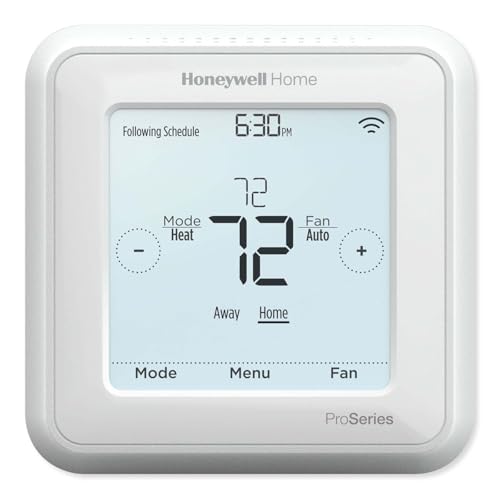
This Honeywell thermostat uses Z-Wave Plus for mesh network control. It features a touchscreen display and supports up to 3H/2C heat pump systems. You can power it via C-wire or three AA batteries. The unit allows 7-day or 5-1-1 scheduling. It fits homes with Z-Wave hubs rather than Wi-Fi-only setups.
Pros
- Z-Wave Plus certified for better range and bandwidth
- Supports up to 3H/2C heat pump systems
- Backwards compatible with existing wiring
- Power via C-wire or 3 AA batteries
Cons
- Requires a Z-Wave hub for smart control
- No built-in voice assistant
- Limited to low voltage systems
Good fit if
- You use a Z-Wave smart home hub
- You need heat pump compatibility
- You prefer mesh network reliability
Skip if
- You want Wi-Fi only connectivity
- You need high voltage support
- You prefer app-only control without a hub
Verdict: Honeywell T6 Pro Z-Wave Thermostat suits users with Z-Wave hubs who need heat pump support. It offers reliable mesh connectivity without Wi-Fi dependency.

Google Nest Programmable Wi-Fi Thermostat (Renewed)
Best for: Google Assistant users without C wires
- Connectivity
- Wi-Fi (what this guide is about)
- Wiring Requirement
- Works without C wire in most homes
- Smart Home Compatibility
- Google Assistant, Alexa
- Programmability
- Programmable
- Dimensions
- 3.31 × 3.31 × 1.07 inches
View on Amazon: Google Nest Programmable Wi-Fi Thermostat (Renewed) Affiliate link
This Google Nest Thermostat is a programmable Wi-Fi device designed for home energy management. It features a compact Snow finish measuring 3.31 inches square. The unit works without a C wire in most homes, simplifying installation. You can control temperature via voice using Google Assistant or Alexa. It integrates with the Google Home app for scheduling and remote monitoring.
Pros
- Works without a C wire in most homes
- Compatible with Google Assistant and Alexa
- Programmable scheduling via Google Home app
- Compact 3.31-inch square design
Cons
- Limited to Wi-Fi connectivity only
- No support for Z-Wave networks
- Sold as a renewed item
Good fit if
- You want voice control via Google Assistant
- You need a thermostat that works without a C wire
- You prefer a simple programmable interface
Skip if
- You require Z-Wave compatibility for your smart home
- You need a new unit rather than renewed
- You prefer a larger display screen
Verdict: Google Nest Thermostat Snow Wi-Fi suits users who rely on Google Assistant and lack a C wire. It is a practical choice for basic Wi-Fi control without Z-Wave integration.
Honeywell T6 Pro Z-Wave Thermostat
Best for: Z-Wave hub users seeking automation
- Connectivity
- Z-Wave (what this guide is about)
- Dimensions
- 1.06 × 4.09 × 4.09 inches
- Weight
- 1.6 ounces
View on Amazon: Honeywell T6 Pro Z-Wave Thermostat Affiliate link
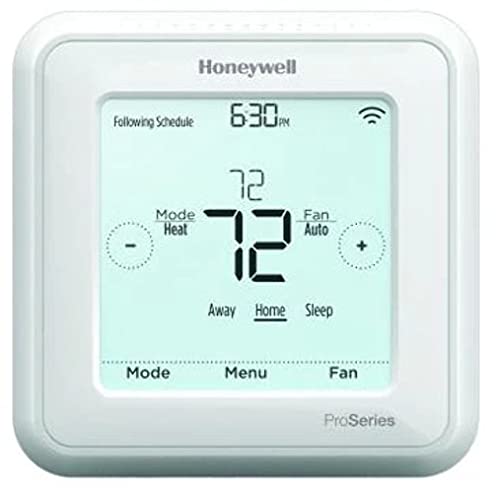
This Honeywell thermostat uses Z-Wave connectivity to join your smart home network. It learns your heating and cooling cycles to adjust schedules automatically. You can set minimum cool and maximum heat temperatures to protect your system. The white unit measures 4.09 by 4.09 inches and weighs 1.6 ounces. It suits homes already using Z-Wave devices for centralized control.
Pros
- Z-Wave connectivity for mesh network integration
- Learns heating and cooling cycles
- Minimum cool and maximum heat limits
- Compact 4.09-inch square design
Cons
- No Wi-Fi for remote app control
- No voice assistant integration
- No color touchscreen display
Good fit if
- You have a Z-Wave smart home hub
- You want automated cycle learning
- You need temperature limits for system protection
Skip if
- You need Wi-Fi remote access
- You want voice control
- You prefer a color touchscreen
Verdict: Honeywell T6 Pro Z-Wave Thermostat fits users who rely on Z-Wave hubs and want automated learning without Wi-Fi dependencies.
Honeywell Home Smart Color Touchscreen Thermostat
Best for: Wi-Fi control and humidity monitoring
- Connectivity
- Wi-Fi (what this guide is about)
- System Compatibility
- Forced air, hot water, steam, heat pump
- Wiring Requirement
- C-Wire Required
- Smart Home Compatibility
- Amazon Alexa, Google Assistant, Cortana
- Programmability
- Programmable
- Display Type
- Color touchscreen
View on Amazon: Honeywell Home Smart Color Touchscreen Thermostat Affiliate link
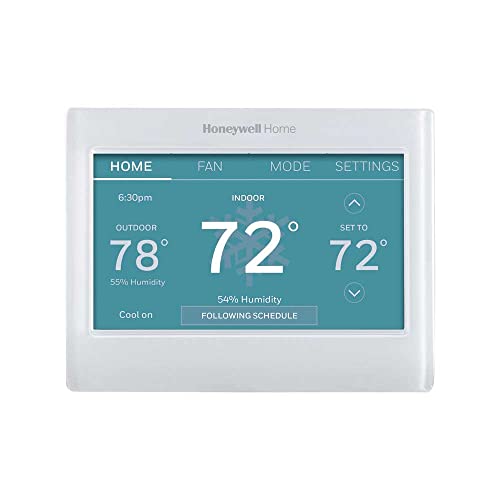
This Honeywell thermostat uses Wi-Fi for app control and smart home integration. It features a color touchscreen and tracks humidity. You get on-screen weather and comfort data. It works with Alexa, Google Assistant, and Cortana. The unit is ENERGY STAR certified. You must have a C-wire for power. It fits forced air and heat pump systems. It does not support electric baseboard heat.
Pros
- Color touchscreen display
- Wi-Fi connectivity
- Humidity sensor
- ENERGY STAR certified
- Works with Alexa and Google Assistant
Cons
- Requires a C-wire for power
- Not compatible with electric baseboard heat
- No built-in voice assistant for hands-free control
Good fit if
- You need Wi-Fi control via an app
- You want to track indoor humidity levels
- You have a C-wire available
Skip if
- You only have electric baseboard heating
- Your system lacks a C-wire
- You want a thermostat with built-in voice commands
Verdict: Honeywell Home RTH9600WF Wi-Fi Thermostat suits users who want app-based control and humidity tracking. It is a solid choice for homes with C-wires and forced air systems.

Ecobee Smart Thermostat Premium with SmartSensor
Best for: air quality monitoring and multi-ecosystem voice control
- Connectivity
- Wi-Fi (what this guide is about)
- System Compatibility
- 95% of HVAC systems
- Wiring Requirement
- Power Extender Kit (PEK) / C-wire
- Smart Home Compatibility
- Alexa, Siri, Google Home
- Sensor Support
- SmartSensor, air quality, occupancy
- Dimensions
- 1.02 × 4.09 × 4.09 inches
View on Amazon: Ecobee Smart Thermostat Premium with SmartSensor Affiliate link
This ecobee unit connects via Wi-Fi and includes a SmartSensor for room-specific occupancy detection. It features built-in air quality monitoring and supports both Siri and Alexa. The device measures 4.09 by 4.09 inches and weighs 1.32 pounds. It works with 95% of HVAC systems and includes a Power Extender Kit for homes without a C-wire. This model suits users who want detailed environmental data and voice control in one device.
Pros
- Includes SmartSensor for room-level occupancy tracking
- Built-in air quality monitor with filter change alerts
- Compatible with both Siri and Alexa ecosystems
- Power Extender Kit included for C-wire-free installation
Cons
- Requires a subscription for advanced security features like smoke alarm detection
- Siri support needs a separate Apple home hub
- Higher price point compared to basic Wi-Fi models
Good fit if
- You want to monitor indoor air quality directly from the thermostat
- You need a solution for homes without a C-wire
- You use both Apple and Alexa devices
Skip if
- You only have a single smart home ecosystem and do not need cross-compatibility
- You want to avoid recurring subscription fees for security features
- You prefer a smaller, simpler device without a speaker
Verdict: The ecobee Smart Thermostat Premium is a comprehensive choice for users who value air quality monitoring and room-specific comfort adjustments. It fits best in homes where detailed environmental data and multi-ecosystem voice control are priorities.
Specifications side by side
| Spec | Google Nest Smart Wi-Fi Thermostat | Honeywell T6 Pro Z-Wave Thermostat | Google Nest Programmable Wi-Fi Thermostat (Renewed) | Honeywell T6 Pro Z-Wave Thermostat | Honeywell Home Smart Color Touchscreen Thermostat | Ecobee Smart Thermostat Premium with SmartSensor |
|---|---|---|---|---|---|---|
| System Compatibility | not stated | 3H/2C heat pump, 2H/2C conventional | not stated | not stated | Forced air, hot water, steam, heat pump | 95% of HVAC systems |
| Voltage | not stated | Low Voltage | not stated | not stated | not stated | not stated |
| Wiring Requirement | Works without C wire in most homes | C-wire or 3 AA batteries | Works without C wire in most homes | not stated | C-Wire Required | Power Extender Kit (PEK) / C-wire |
| Smart Home Compatibility | Google Assistant, Matter | Z-Wave controls | Google Assistant, Alexa | not stated | Amazon Alexa, Google Assistant, Cortana | Alexa, Siri, Google Home |
| Programmability | Programmable | Programmable | Programmable | not stated | Programmable | not stated |
| Connectivity | not stated | Z-Wave Plus | not stated | Z-Wave | not stated | not stated |
| Display Type | not stated | Touchscreen | not stated | not stated | Color touchscreen | not stated |
| Sensor Support | not stated | not stated | not stated | not stated | Humidity | SmartSensor, air quality, occupancy |
| Certification | not stated | not stated | not stated | not stated | Energy Star Certified | not stated |
| Dimensions | 3.31 × 3.31 × 1.07 inches | 4.09 × 4.09 × 1.06 inches | 3.31 × 3.31 × 1.07 inches | 1.06 × 4.09 × 4.09 inches | 4.5 × 0.88 × 3.5 inches | 1.02 × 4.09 × 4.09 inches |
| Weight | 4.96 ounces | 1.6 ounces | not stated | 1.6 ounces | 11.2 ounces | 1.32 pounds |
| Size | 1.07 x 3.31 x 3.31 Inches | 4.06 x 4.06 x 1.09 inches | not stated | 6 x 7 x 2 inches | 1 | 2.9 x 4.09 x 4.09 inches |
| Color | Sand | Multicolor | Snow | White | White 1 | Black |
| Model | GA02082-US | TH6320ZW2007/U | GA01334-US | TH6320ZW2003 | RTH9600WF2022 | EB-STATE6-01 |
Frequently asked questions
Can I control my Z-Wave thermostat from my phone?
You cannot control a Z-Wave thermostat directly from your phone. The device connects to a Z-Wave hub, which then links to your home internet. You use the hub’s app or a compatible platform to adjust settings remotely. For example, the Honeywell T6 Pro relies on this hub connection for remote scheduling and monitoring.
Do I need a C-wire for Wi-Fi thermostats?
Not all Wi-Fi thermostats require a C-wire. Some models, like the Google Nest Thermostat Snow, are designed to work without one, making installation easier. However, others, such as the Honeywell Home RTH9600WF, explicitly require a C-wire for power. Always check the wiring requirements for your specific model before purchasing.
Which is better for home automation: Wi-Fi or Z-Wave?
Z-Wave is often better for complex home automation because it creates a mesh network. Devices relay signals to each other, improving reliability and range. Wi-Fi connects directly to your router, which is great for simple remote control but does not form a mesh. The Honeywell T6 Pro uses Z-Wave for this robust connectivity.
Can a Wi-Fi thermostat work without an app?
Most Wi-Fi thermostats require an app for full functionality. The app enables remote scheduling, system monitoring, and firmware updates. For instance, the Google Nest Smart Wi-Fi Thermostat uses its app for these features. While some have local displays, the smart capabilities depend on the connected app and internet access.
Does Z-Wave interfere with my Wi-Fi network?
Z-Wave operates on a different frequency band than standard Wi-Fi, so it typically does not interfere. This separation allows both protocols to run simultaneously without signal degradation. You can use a Z-Wave thermostat like the Honeywell T6 Pro alongside your Wi-Fi devices without worrying about network conflicts or performance issues.
What display types are available for smart thermostats?
Smart thermostats come with various display types, including standard screens and touchscreens. The Honeywell T6 Pro features a touchscreen for easy navigation. The Google Nest Thermostat uses a digital display to show temperature and status. Touchscreens often provide a more intuitive interface for adjusting settings and viewing system information directly on the device.
Is dual connectivity necessary for smart thermostats?
Dual connectivity is not necessary for most users. Wi-Fi alone provides sufficient remote control and scheduling capabilities. Z-Wave adds mesh networking benefits for other smart home devices. If you only need temperature control via an app, Wi-Fi is enough. The Google Nest Thermostat Snow offers Wi-Fi control without Z-Wave integration.