Best Smart Home Controllers with Home Assistant in 2026: 15 Picks Ranked by Specs
As an Amazon Associate we earn from qualifying purchases. Links on this page are affiliate links.
Choosing the right smart home controller with home assistant integration ensures stable local communication across all your smart devices. We evaluated 15 products based strictly on the specifications published on the listings.
The SONOFF Zigbee 3.0 USB Dongle earns the top spot because its EFR32MG24 chip provides dedicated Zigbee 3.0 and Thread radio hardware directly to your host platform. This guide helps you choose the best hardware hub, radio coordinator, or wireless sensor interface for your specific automation setup.
Quick picks
The best fit for you
- You need dedicated hardware for Home Assistant Zigbee and Thread networks SONOFF Zigbee 3.0 USB Dongle The EFR32MG24 chip provides native support for both protocols with included extension cables to limit interference.
- You want an official plug-and-play Home Assistant hardware base Nabu Casa Home Assistant Green Hub This hub features a quad-core processor and 4GB of RAM for reliable local automation out of the box.
- You require a single USB adapter for both Zigbee and Z-Wave devices AEOTEC Z-Stick 10 Pro Dual Zigbee & Z-Wave USB Adapter This dual-protocol stick links your Home Assistant host to Zigbee 3.0 and Z-Wave 800 series devices simultaneously.
- You need a self-contained Wi-Fi voice and audio terminal THIRDREALITY Voice and Music Assistant Dev Edition Its Linux-based quad-core processor and dual microphones handle voice commands and TTS playback without separate audio hardware.
Our 15 picks

SONOFF Zigbee 3.0 USB Dongle
Best for: Home Assistant Zigbee and Thread networks
- Smart Home Compatibility
- Home Assistant (what this guide is about)
- Connectivity
- Zigbee 3.0, Thread
- Network Interface
- USB
- Weight
- 0.67 ounces
The SONOFF Zigbee and Thread USB Dongle plugs directly into your host hardware to manage Zigbee 3.0 and Thread networks inside Home Assistant. It runs on the EFR32MG24 chip and includes an antenna offering 3dBi to 4.5dBi gain. A bundled USB extension cable reduces electromagnetic interference. You can flash firmware to switch between coordinator, router, or Thread RCP modes, making it adaptable for custom controller setups.
Pros
- Built on the Silicon Labs EFR32MG24 processor
- External antenna provides 3dBi gain optimized up to 4.5dBi
- Firmware flashing supports Zigbee coordinator, router, and Thread RCP modes
- Includes a USB extension cable to minimize electromagnetic interference
Cons
- Requires an existing host machine with a USB port rather than operating standalone
- Lacks built-in Z-Wave connectivity
Good fit if
- You run Home Assistant on a computer or hub with an open USB port.
- You need a dedicated Zigbee 3.0 or Thread radio with high antenna gain.
- You want switchable firmware to use the device as a coordinator or router.
Skip if
- You need a standalone controller with integrated computing hardware.
- You require native Z-Wave support out of the box.
Verdict: SONOFF Zigbee and Thread USB Dongle provides Home Assistant hosts with dedicated Zigbee 3.0 and Thread radio hardware using an EFR32MG24 chip. It delivers flexible multi-mode firmware options and includes an extension cable to limit radio interference.

THIRDREALITY Zigbee Smart Button
Best for: simple physical scene triggering in Home Assistant
- Smart Home Compatibility
- SmartThings, Home Assistant (what this guide is about)
- Connectivity
- Zigbee 3.0
- Power Source
- 2 AAA Batteries
- Circuit Type
- 3-Way
- Dimensions
- 1.01 × 0.52 × 3.52 inches
- Weight
- 1.44 ounces
The THIRDREALITY Zigbee Smart Button is a battery-powered wireless scene controller for Home Assistant setups. It runs on the Zigbee 3.0 protocol and supports three trigger actions: single press, double press, and long hold. Power comes from two AAA batteries rated for up to three years of standard use. Magnetic strips and mounting tape are included in the box. This button suits you if you need physical controls for Home Assistant automations.
Pros
- Supports press, double press, and hold actions
- Uses standard AAA batteries with up to 3-year life
- Includes magnetic strips and double-sided tape for mounting
- Uses standard Zigbee 3.0 protocol with OTA update support
Cons
- Requires a separate Zigbee hub or coordinator
- Requires Smart Bridge MZ1 for Apple HomeKit support
Good fit if
- You already have a Zigbee coordinator connected to Home Assistant.
- You want three distinct actions mapped to a single physical button.
- You prefer standard AAA batteries over coin-cell options.
Skip if
- You do not operate a Zigbee-compatible hub or coordinator.
- You need native Apple HomeKit integration without buying an extra bridge.
Verdict: THIRDREALITY Zigbee Smart Button delivers reliable three-action wireless input for Home Assistant without relying on coin cells. It provides flexible magnetic or adhesive mounting for direct control of your automated scenes.

THIRDREALITY Zigbee Door and Window Contact Sensor
Best for: Home Assistant setups needing AAA-powered contact monitoring
- Smart Home Compatibility
- SmartThings, Home Assistant (what this guide is about)
- Connectivity
- Zigbee
- Operating Environment
- Indoor
- Power Source
- Two AAA 1.5V Alkaline batteries
- Hub Requirement
- Hub Required
- Dimensions
- 1.97 × 0.83 × 2.36 inches
View on Amazon: THIRDREALITY Zigbee Door and Window Contact Sensor
This is an indoor Zigbee contact sensor designed to track door and window status within Home Assistant. It runs on two standard AAA alkaline batteries that provide up to two years of life, eliminating proprietary coin cells. Measuring roughly 2.4 inches tall and weighing 0.13 pounds, it suits you if you already maintain a Zigbee coordinator and want straightforward entry-detection automations without wiring.
Pros
- Uses two replaceable standard AAA alkaline batteries
- Up to two years of battery life
- Supports over-the-air firmware updates
- Direct Zigbee connectivity with Home Assistant
Cons
- Requires a separate compatible Zigbee hub or coordinator
- Indoor use only and cannot be mounted on metal surfaces
- Matter, HomeKit, and Google Home access require an optional separate bridge
Good fit if
- You run Home Assistant with an existing Zigbee coordinator.
- You prefer accessible AAA batteries over coin-cell replacements.
- You need indoor monitoring on non-metal doors or windows.
Skip if
- You need to mount sensors on metal doors, metal frames, or outdoors.
- You do not have a Zigbee-compatible hub or coordinator.
Verdict: THIRDREALITY Zigbee Door and Window Contact Sensor provides reliable state tracking for non-metal portals using common AAA batteries. It links cleanly to Home Assistant through any standard Zigbee gateway.

Nabu Casa Home Assistant Green Hub
Best for: official plug-and-play Home Assistant setups
- Smart Home Compatibility
- Home Assistant (what this guide is about)
- Network Interface
- Ethernet, USB
- Power Source
- Included power supply
- System Memory
- 4GB
- Storage Capacity
- 32GB
- Dimensions
- 4.41 × 1.26 × 4.41 inches
The Nabu Casa Home Assistant Green Hub is a dedicated smart home controller with Home Assistant pre-installed. It features a quad-core processor, 4GB of RAM, and 32GB of storage in a compact 4.41-inch enclosure. You connect the included power supply and Ethernet cable to start automations immediately. This hub suits you if you want silent, local control without configuring custom hardware.
Pros
- Pre-installed Home Assistant operating system
- Quad-core processor with 4GB RAM and 32GB storage
- Fanless, silent design using only a couple of watts
- USB expansion ports for Zigbee, Z-Wave, and Thread adapters
Cons
- Requires separate USB adapters to connect Zigbee, Z-Wave, or Thread devices
- Requires a wired Ethernet setup rather than integrated Wi-Fi
Good fit if
- You want an official hub with Home Assistant pre-installed and ready to boot.
- You prefer a silent, fanless device for local smart home processing.
- You plan to connect your own USB radios for multi-protocol support.
Skip if
- You need integrated Zigbee or Z-Wave radios built into the box.
- You prefer a controller that connects to your network exclusively over Wi-Fi.
Verdict: Nabu Casa Home Assistant Green Hub provides an official, power-efficient hardware base with a quad-core processor and 4GB of RAM. It gives you a reliable starting point for local automation if you do not mind adding USB radios for wireless smart devices.

Nabu Casa Home Assistant Connect ZWA-2
Best for: official 800-series Z-Wave Home Assistant networks
- Smart Home Compatibility
- Home Assistant (what this guide is about)
- Connectivity
- Z-Wave, Z-Wave Long Range
- Dimensions
- 10 × 7 × 1 inches
The Nabu Casa Connect ZWA-2 is dedicated hardware designed to link Z-Wave devices directly to Home Assistant. Built with an 800-series chipset, it provides standard Z-Wave and Z-Wave Long Range connectivity using a tuned antenna and base. You get guided setup tools and one-click firmware updates handled directly within your system. It suits you if you already run Home Assistant and want official hardware optimized for Z-Wave networks.
Pros
- Includes the 800-series chipset supporting all Z-Wave devices
- Supports Z-Wave Long Range connectivity for distant devices
- Tuned antenna and base engineered specifically for Z-Wave frequencies
- Features a setup wizard and one-click firmware updates
Cons
- Operates exclusively on Z-Wave frequencies with no Zigbee support
- Requires a separate Home Assistant system to function
Good fit if
- You want an official 800-series Z-Wave and Long Range antenna for Home Assistant.
- You are migrating an existing Z-Wave network from an older adapter.
Skip if
- You need a single adapter that controls both Zigbee and Z-Wave devices.
- You do not own and do not plan to run a Home Assistant system.
Verdict: Nabu Casa Connect ZWA-2 Z-Wave Adapter delivers dedicated 800-series Z-Wave and Long Range coverage with streamlined Home Assistant integration. It is an ideal addition when you want official hardware focused purely on Z-Wave performance.

THIRDREALITY Voice and Music Assistant Dev Edition
Best for: Wi-Fi Home Assistant voice and audio streaming
- Smart Home Compatibility
- Home Assistant (what this guide is about)
- Connectivity
- 2.4G WiFi
- Network Interface
- 2.4G WiFi
- System Memory
- 256MB RAM
- Storage Capacity
- 512MB flash
- Dimensions
- 2.56 × 2.56 × 2.56 inches
View on Amazon: THIRDREALITY Voice and Music Assistant Dev Edition
This compact 2.56-inch cube functions as a dedicated Wi-Fi voice terminal and audio endpoint for Home Assistant. It features a quad-core ARM A53 processor, 256MB RAM, 512MB flash memory, dual digital microphones, and an integrated 3W speaker. Preloaded software links directly to your voice pipelines and Music Assistant without extra setup. You will find it suits your setup if you want hands-free local voice capture and text-to-speech audio in a single standalone unit.
Pros
- Dual digital microphones support wake-word and button voice capture
- Integrated 3W speaker handles text-to-speech and audio playback
- Preloaded with Home Assistant Voice Assistant and Music Assistant
- Quad-core ARM A53 CPU runs a local Linux system
- Supports firmware flashing, live logs, and on-device editing
Cons
- Audio playback output is limited to a single 3W speaker
- Onboard memory is restricted to 256MB RAM and 512MB flash
- Lacks built-in Zigbee or Z-Wave radios
Good fit if
- You need a dedicated Wi-Fi audio input and output node for Home Assistant.
- You want pre-installed Voice Assistant and Music Assistant integration.
- You plan to inspect live logs or flash custom development builds.
Skip if
- You require loud, high-power audio playback beyond 3W.
- You need integrated Zigbee or Z-Wave controller hardware.
Verdict: THIRDREALITY Wi-Fi Voice and Music Assistant delivers a self-contained Wi-Fi voice pipeline terminal and speaker designed for Home Assistant. Its Linux-based quad-core processor and dual microphones handle voice commands and TTS playback without separate audio hardware.

AEOTEC Z-Stick 10 Pro Dual Zigbee & Z-Wave USB Adapter
Best for: combined Zigbee and Z-Wave Home Assistant setups
- Smart Home Compatibility
- Home Assistant (what this guide is about)
- Connectivity
- Zigbee 3.0, Z-Wave Plus Long Range
- Network Interface
- USB
- Dimensions
- 0.66 × 2.04 × 0.31 inches
- Weight
- 1.13 ounces
View on Amazon: AEOTEC Z-Stick 10 Pro Dual Zigbee & Z-Wave USB Adapter
This USB dongle combines Zigbee 3.0 and Z-Wave 800 series radios into a single slim adapter. It runs locally without cloud services, using the EFR32MG21 Zigbee chip and EFR32ZG23 Z-Wave chip with Long Range coverage up to one mile. You plug it into your host machine running Linux, macOS, or Windows 10 and higher to manage Home Assistant, Zigbee2MQTT, and Z-Wave JS networks without blocking adjacent ports.
Pros
- Dual-radio setup combines Zigbee 3.0 and Z-Wave 800 series
- Z-Wave Long Range support covers up to 1 mile
- Slim 0.31-inch profile avoids blocking neighboring USB ports
- Operates locally with no cloud connection required
Cons
- Requires a separate host machine to operate
- No external antenna included for signal adjustment
Good fit if
- You need both Zigbee 3.0 and Z-Wave networks in a single USB port.
- You want local smart home control without cloud dependence.
- You run Home Assistant on a Linux, Windows 10+, or OSX host.
Skip if
- You want an all-in-one standalone hub that does not need a PC or server.
- You only use Wi-Fi or Bluetooth devices and do not need Zigbee or Z-Wave.
Verdict: AEOTEC Z-Stick 10 Pro Dual Zigbee & Z-Wave USB Adapter delivers dual-protocol local communication on a single USB stick. It links your Home Assistant host to both Zigbee 3.0 and Z-Wave 800 series devices without taking up extra port space.

THIRDREALITY MZ1 Zigbee to Matter Bridge
Best for: bridging Zigbee devices to Matter ecosystems
- Smart Home Compatibility
- Google Home, SmartThings, Home Assistant (what this guide is about)
- Connectivity
- Zigbee, Matter
- Network Interface
- 2.4 GHz Wi-Fi
- Power Source
- USB-C
- Dimensions
- 3.14 × 1.57 × 2.71 inches
- Weight
- 1.45 ounces
The THIRDREALITY Smart Bridge MZ1 bridges Zigbee end devices to Matter over a 2.4 GHz Wi-Fi connection. It features a compact footprint measuring 3.14 by 1.57 by 2.71 inches and powers via USB-C. It integrates with Home Assistant, Apple HomeKit, Google Home, and SmartThings. If you need a dedicated Matter bridge to expose Zigbee devices to Home Assistant through the 3R-Installer app, this controller fits your setup.
Pros
- Converts Zigbee end devices to the Matter protocol
- Uses a standard USB-C power interface
- Supports OTA updates via the 3R-Installer application
- Integrates with Home Assistant, Apple HomeKit, Google Home, and SmartThings
Cons
- Operates exclusively on 2.4 GHz Wi-Fi networks
- Requires the 3R-Installer app for setup and device management
Good fit if
- You want to connect THIRDREALITY Zigbee devices to Home Assistant via Matter.
- You need a compact controller powered by USB-C.
- You operate your smart home network on 2.4 GHz Wi-Fi.
Skip if
- You need a controller that supports 5 GHz Wi-Fi or wired Ethernet.
- You want to configure devices without using a separate installer app.
Verdict: THIRDREALITY Smart Bridge MZ1 Zigbee to Matter connects THIRDREALITY Zigbee devices to Home Assistant and Matter over 2.4 GHz Wi-Fi. Its compact USB-C design delivers multi-platform control across Apple HomeKit, Google Home, and SmartThings.
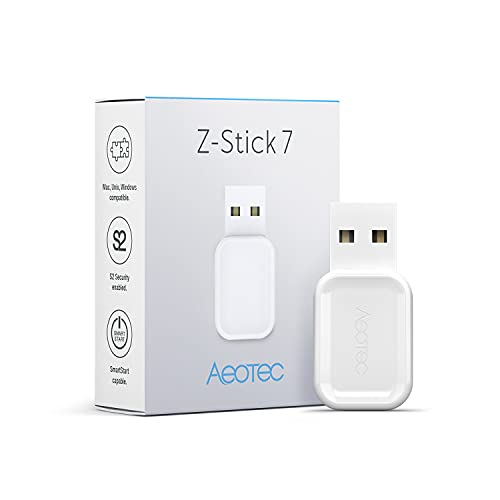
Aeotec Z-Stick 7 Plus Z-Wave USB Adapter
Best for: Home Assistant users needing dedicated Z-Wave control
- Smart Home Compatibility
- Home Assistant (what this guide is about)
- Connectivity
- Z-Wave, Z-Wave Plus
- Network Interface
- USB
The Aeotec Z-Stick 7 Plus Z-Wave USB Adapter turns your host computer into a dedicated Z-Wave gateway. It uses 700 series technology to manage Z-Wave and Z-Wave Plus devices directly through Home Assistant. You gain support for SmartStart provisioning and S2 security across Raspberry Pi, Linux, Mac, or Windows systems. This controller suits you if you need dedicated local Z-Wave hardware without built-in Zigbee radios or pre-installed software.
Pros
- Features 700 series Z-Wave hardware with S2 security and SmartStart
- Works with Raspberry Pi, Linux, Windows, and Mac operating systems
- Direct compatibility with Home Assistant and Indigo 7 software
Cons
- Includes no software in the box
- Supports only Z-Wave connectivity without Zigbee integration
Good fit if
- You run Home Assistant on a Raspberry Pi, PC, or Mac and need Z-Wave connectivity.
- You require Z-Wave hardware supporting SmartStart pairing and S2 security.
Skip if
- You want an all-in-one USB stick that also supports Zigbee devices.
- You need a plug-and-play gateway with included pre-installed software.
Verdict: Aeotec Z-Stick 7 Plus Z-Wave USB Adapter delivers dedicated 700 series Z-Wave hardware for your Home Assistant server. It provides a reliable way to manage secure Z-Wave devices without extra wireless protocols.

Besisglas Home Assistant Starter Kit with Zigbee Hub
Best for: turnkey Home Assistant setups with Zigbee sensors
- Smart Home Compatibility
- Home Assistant (what this guide is about)
- Connectivity
- Zigbee 3.0
- Network Interface
- Ethernet, USB
- System Memory
- 4GB
- Storage Capacity
- 32GB eMMC
- Dimensions
- 4.41 × 1.26 × 4.41 inches
View on Amazon: Besisglas Home Assistant Starter Kit with Zigbee Hub
The Besisglas Starter Kit is a dedicated smart home hub running pre-installed Home Assistant OS. Powered by a Rockchip RK3528 quad-core processor with 4GB RAM and 32GB of eMMC storage, it provides fanless, local automation processing. It includes a Zigbee 3.0 USB dongle along with temperature, humidity, and contact sensors. This hardware bundle suits you if you want a complete, ready-to-wire local control setup without sourcing separate coordinator dongles or sensors.
Pros
- Quad-core RK3528 processor with 4GB RAM and 32GB eMMC storage
- Pre-installed Home Assistant OS for out-of-the-box operation
- Includes Zigbee USB dongle, extension cable, and two sensors
- Fanless, compact enclosure measuring 4.41 by 4.41 inches
Cons
- Zigbee connectivity relies on an external USB dongle instead of an internal radio
- No built-in Z-Wave support included
Good fit if
- You want an all-in-one bundle with pre-installed Home Assistant OS and starter sensors.
- You prefer a fanless, silent controller with 4GB of RAM and wired Ethernet.
Skip if
- You need integrated Z-Wave support out of the box.
- You prefer an internal wireless coordinator rather than an external USB dongle.
Verdict: Besisglas Home Assistant Starter Kit with Zigbee Hub delivers a pre-configured controller with 4GB RAM, 32GB storage, and included sensors for immediate local automation. It is a solid turnkey option if you want to avoid manual software installation.
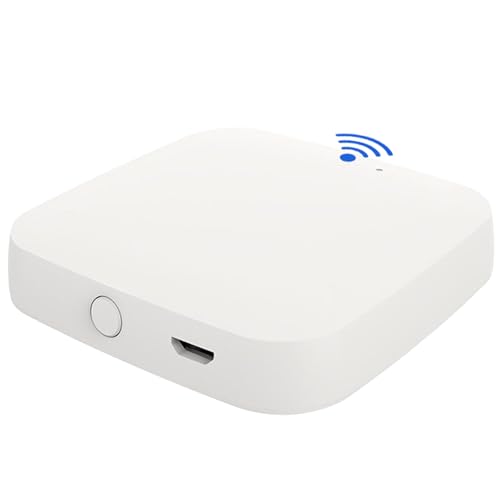
STALDRIX Bluetooth Mesh WiFi Gateway
Best for: Tuya Bluetooth integration with Alexa voice setups
- Smart Home Compatibility
- Alexa, Google Home, Tuya, Home Assistant (what this guide is about)
- Connectivity
- Bluetooth, BLE, Wi-Fi
- Network Interface
- 2.4GHz Wi-Fi
- Power Source
- Micro USB
- Dimensions
- 2.59 × 2.59 × 0.47 inches
The STALDRIX Bluetooth Mesh WiFi Gateway bridges Tuya Bluetooth devices to your home network using 2.4GHz Wi-Fi. It supports up to 128 connected devices across a 10-meter coverage area and integrates directly with Home Assistant, Alexa, and Google Home. Measuring 2.59 by 2.59 inches, its compact footprint fits anywhere. You will find it useful if you need to route local Bluetooth hardware into your voice and automation platforms.
Pros
- Connects up to 128 devices over Bluetooth mesh
- Compatible with Home Assistant, Alexa, Google Home, and Tuya
- Compact 2.59-inch square design at 0.47 inches thick
- Operates over standard 2.4GHz Wi-Fi networks
Cons
- Restricted to 2.4GHz Wi-Fi bands only
- Coverage area limited to 10 meters
- Requires Tuya or Smart Life app for setup
Good fit if
- You need to bridge Tuya Bluetooth Low Energy devices to Home Assistant or Alexa.
- You manage up to 128 devices within a 10-meter range.
- You operate your smart home hardware primarily on a 2.4GHz Wi-Fi network.
Skip if
- You require 5GHz Wi-Fi network support.
- You need direct Zigbee or Z-Wave hardware radios without Bluetooth.
Verdict: STALDRIX Bluetooth Mesh WiFi Gateway provides a dedicated bridge to link up to 128 Tuya Bluetooth devices with Alexa and Home Assistant. Its 10-meter range and 2.4GHz Wi-Fi design make it a focused choice for compact local installations.

Besisglas Wireless Zigbee Smart Button
Best for: indoor multi-action Zigbee2MQTT scene control
- Smart Home Compatibility
- Home Assistant (what this guide is about)
- Connectivity
- Zigbee 3.0
- Operating Environment
- Indoor
- Power Source
- Built-in batteries
- Circuit Type
- 3-Way
- Dimensions
- 2 × 2 × 1 inches
This compact wireless device provides physical scene and automation control for your Home Assistant setup. It connects via the Zigbee 3.0 standard and supports Zigbee2MQTT for integration. You can trigger three separate actions using single click, double click, or long press inputs. Built-in batteries power the unit for up to two years indoors. It suits you if you need a flexible two-inch controller without running electrical wiring.
Pros
- Supports single click, double click, and long press actions
- Built-in battery runs up to two years
- Compatible with Zigbee 3.0 and Zigbee2MQTT
- Compact dimensions measuring 2 by 2 by 1 inches
Cons
- Rated for indoor use only
- Requires a separate compatible Zigbee or Home Assistant hub
Good fit if
- You run Home Assistant with Zigbee2MQTT or a Zigbee 3.0 coordinator.
- You want three control triggers from single, double, and long presses.
- You need a battery-powered indoor switch you can place anywhere.
Skip if
- You need an outdoor or water-resistant button.
- You do not have a Zigbee-compatible hub.
Verdict: Besisglas Wireless Zigbee Smart Button delivers reliable indoor scene triggering with three distinct press actions for your Zigbee2MQTT or Home Assistant setup.

Frient Zigbee Waterproof Smart Button
Best for: kitchen and bathroom Home Assistant automations
- Smart Home Compatibility
- SmartThings, Home Assistant (what this guide is about)
- Connectivity
- Zigbee
- Operating Environment
- IP65
- Power Source
- Battery-powered
- Dimensions
- 1.57 × 0.43 × 2.09 inches
- Weight
- 0.71 ounces
The Frient Zigbee Waterproof Smart Button is a compact wireless controller built to trigger automations, devices, and scenes in your Home Assistant setup. It features an IP65 water-resistant housing and up to three years of battery life. Measuring roughly 2.1 by 1.6 inches and weighing under 0.05 pounds, it mounts using tape. It suits you if you need a durable, water-resistant button for kitchen or bathroom automations.
Pros
- IP65 water-resistant rating for use in kitchens and bathrooms
- Up to 3 years of battery life
- Zigbee connectivity compatible with Home Assistant and SmartThings
- Compact tape-mounted design weighing 0.044 pounds
Cons
- Requires a separate compatible Zigbee hub to operate
- Not all configurable features work across all hubs
Good fit if
- You need a water-resistant physical switch for kitchens, bathrooms, or damp spaces.
- You have an existing Zigbee coordinator integrated into Home Assistant.
- You want a tape-mounted controller with multi-year battery operation.
Skip if
- You do not own a Zigbee hub or coordinator.
- You need a permanently wired in-wall controller.
Verdict: Frient Zigbee Waterproof Smart Button provides practical local automation control in moisture-prone rooms through its IP65 casing and multi-year battery. It integrates cleanly into your setup as long as you maintain a compatible Zigbee coordinator.
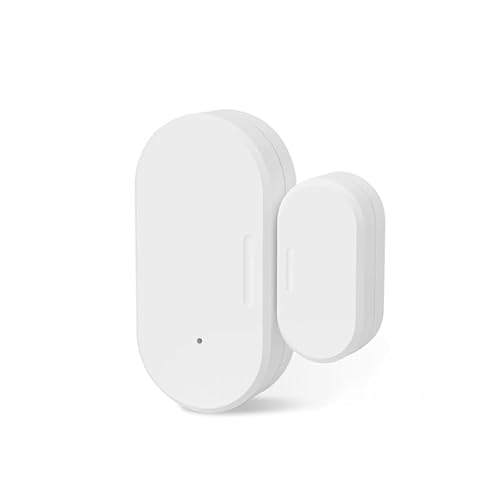
Besisglas Zigbee Door and Window Sensor
Best for: indoor Zigbee contact monitoring in Home Assistant
- Smart Home Compatibility
- SmartThings, Home Assistant (what this guide is about)
- Connectivity
- Zigbee 3.0
- Operating Environment
- Indoor
- Power Source
- Built-in batteries
- Dimensions
- 0.79 × 0.95 × 2.74 inches
- Weight
- 1.13 ounces
This Besisglas contact sensor uses the Zigbee 3.0 protocol to track open and close states for doors and windows. It connects directly to Home Assistant through a compatible Zigbee hub. Built-in batteries power the sensor for up to two years of continuous indoor monitoring. It suits you if you want lightweight entryway monitoring to trigger local automations or notifications without running power cables.
Pros
- Up to two years of battery life from built-in batteries
- Uses standard Zigbee 3.0 wireless protocol
- Works with Home Assistant, SmartThings, and Alexa
- Compact footprint measuring 2.74 inches tall
Cons
- Requires a separate Zigbee hub to function
- Restricted to indoor use and incompatible with iron doors or windows
Good fit if
- You already have a Zigbee 3.0 hub or coordinator linked to Home Assistant.
- You need wireless contact detection on indoor non-metal frames.
Skip if
- You need to place sensors outdoors or on iron doors and windows.
- You do not have a dedicated Zigbee hub or bridge.
Verdict: Besisglas Zigbee Door and Window Sensor provides reliable contact monitoring for Home Assistant setups paired with a Zigbee hub. Its two-year battery life makes it a low-maintenance option for non-metal indoor frames.

Zigbee Wireless 4-Gang Scene Switch
Best for: Wireless scene control in Home Assistant
- Smart Home Compatibility
- Tuya, Home Assistant (what this guide is about)
- Connectivity
- Zigbee
- Power Source
- 2x CR2432 3V batteries
- Hub Requirement
- Hub Required
- Dimensions
- 3.39 × 3.39 × 0.51 inches
This wireless 4-gang scene switch connects via Zigbee to Tuya or Home Assistant hubs. It runs on two CR2432 batteries, so you need no wiring. Each of the four buttons triggers up to 12 custom scenes, letting you control lighting or appliances with one tap. Its slim 13mm profile mounts easily with tape. You get flexible control without complex setup.
Pros
- Zigbee connectivity for Home Assistant and Tuya hubs
- Four independent buttons for multi-scene control
- Supports up to 12 custom scene modes
- Battery-powered with no wiring required
Cons
- Requires a separate Zigbee or Tuya hub
- Batteries are not included
- No built-in display for status feedback
Good fit if
- You want to add physical scene control to Home Assistant
- You prefer wireless installation without drilling
- You use Tuya or Zigbee2MQTT ecosystems
Skip if
- You need a standalone hub without additional software
- You require voice control as the primary interface
- You want a device with built-in batteries
Verdict: Tuya 4-Gang Zigbee Scene Switch offers four physical buttons for triggering 12 scenes in your Home Assistant setup. It fits users who want wireless, hub-dependent control without wiring.
Specifications side by side
| Spec | SONOFF Zigbee 3.0 USB Dongle | THIRDREALITY Zigbee Smart Button | THIRDREALITY Zigbee Door and Window Contact Sensor | Nabu Casa Home Assistant Green Hub | Nabu Casa Home Assistant Connect ZWA-2 | THIRDREALITY Voice and Music Assistant Dev Edition | AEOTEC Z-Stick 10 Pro Dual Zigbee & Z-Wave USB Adapter | THIRDREALITY MZ1 Zigbee to Matter Bridge | Aeotec Z-Stick 7 Plus Z-Wave USB Adapter | Besisglas Home Assistant Starter Kit with Zigbee Hub | STALDRIX Bluetooth Mesh WiFi Gateway | Besisglas Wireless Zigbee Smart Button | Frient Zigbee Waterproof Smart Button | Besisglas Zigbee Door and Window Sensor | Zigbee Wireless 4-Gang Scene Switch |
|---|---|---|---|---|---|---|---|---|---|---|---|---|---|---|---|
| Connectivity | Zigbee 3.0, Thread | Zigbee 3.0 | Zigbee | not specified | Z-Wave, Z-Wave Long Range | 2.4G WiFi | Zigbee 3.0, Z-Wave Plus Long Range | Zigbee, Matter | Z-Wave, Z-Wave Plus | Zigbee 3.0 | Bluetooth, BLE, Wi-Fi | Zigbee 3.0 | Zigbee | Zigbee 3.0 | Zigbee |
| Smart Home Compatibility | Home Assistant, Zigbee2MQTT, openHAB | Home Assistant, HomeKit, SmartThings | Home Assistant, SmartThings, Alexa | Home Assistant | Home Assistant | Home Assistant | Home Assistant | Apple HomeKit, Google, SmartThings | Home Assistant, Indigo 7 | Home Assistant | Alexa, Google Home, Home Assistant | Home Assistant, Zigbee2MQTT, Echo | Homey, Home Assistant, SmartThings | Home Assistant, SmartThings, Alexa | Tuya, Home Assistant |
| Network Interface | USB | not specified | not specified | Ethernet, USB | not specified | 2.4G WiFi | USB | 2.4 GHz Wi-Fi | USB | Ethernet, USB | 2.4GHz Wi-Fi | not specified | not specified | not specified | not specified |
| Operating Environment | not specified | not specified | Indoor | not specified | not specified | not specified | not specified | not specified | not specified | not specified | not specified | Indoor | IP65 | Indoor | not specified |
| Power Source | not specified | 2 AAA Batteries | Two AAA 1.5V Alkaline batteries | Included power supply | not specified | not specified | not specified | USB-C | not specified | not specified | Micro USB | Built-in batteries | Battery-powered | Built-in batteries | 2x CR2432 3V batteries |
| System Memory | not specified | not specified | not specified | 4GB | not specified | 256MB RAM | not specified | not specified | not specified | 4GB | not specified | not specified | not specified | not specified | not specified |
| Storage Capacity | not specified | not specified | not specified | 32GB | not specified | 512MB flash | not specified | not specified | not specified | 32GB eMMC | not specified | not specified | not specified | not specified | not specified |
| Circuit Type | not specified | 3-Way | not specified | not specified | not specified | not specified | not specified | not specified | not specified | not specified | not specified | 3-Way | not specified | not specified | not specified |
| Hub Requirement | not specified | not specified | Hub Required | not specified | not specified | not specified | not specified | not specified | not specified | not specified | not specified | not specified | not specified | not specified | Hub Required |
| Weight | 0.67 ounces | 1.44 ounces | 2.08 ounces | not specified | not specified | not specified | 1.13 ounces | 1.45 ounces | not specified | 15.8 ounces | not specified | not specified | 0.71 ounces | 1.13 ounces | not specified |
| Dimensions | not specified | 1.01 × 0.52 × 3.52 inches | 1.97 × 0.83 × 2.36 inches | 4.41 × 1.26 × 4.41 inches | 10 × 7 × 1 inches | 2.56 × 2.56 × 2.56 inches | 0.66 × 2.04 × 0.31 inches | 3.14 × 1.57 × 2.71 inches | not specified | 4.41 × 1.26 × 4.41 inches | 2.59 × 2.59 × 0.47 inches | 2 × 2 × 1 inches | 1.57 × 0.43 × 2.09 inches | 0.79 × 0.95 × 2.74 inches | 3.39 × 3.39 × 0.51 inches |
| Model | Dongle-PMG24 | 850001595575 | P1DSA2 | not specified | NC-ZWA-9734 | 3RSV023BWZP | ZWA060-A | 3RMB01033WBZ | ZWA010 | HA70_RK3528 | MHUB-W-Q | Zigbee Button X01 | 20203200 | Zigbee Door X01 | not specified |
| Size | not specified | 1x3.54x0.59 | not specified | not specified | not specified | not specified | not specified | not specified | not specified | not specified | not specified | not specified | not specified | not specified | not specified |
| Color | not specified | White | White | not specified | White | not specified | white | White | white | Black | White | White | not specified | White | White |
If you require uninterrupted power specifications to keep your controller running during grid outages, compare the best generators for home.
Choosing Your Home Assistant Smart Hardware
-
Compare Z-Wave Hardware Generations
When you select dedicated Z-Wave adapters, verify the supported hardware generation. Newer 800-series radios provide Z-Wave Long Range coverage alongside standard mesh networking, whereas older 700-series options offer baseline compatibility without extended range features. Choosing an 800-series radio suits larger properties where wireless reach matters most. If your network uses standard interior spans, an older series remains functional. Compare the model generation in the specifications, such as the 800-series design in the Nabu Casa Home Assistant Connect ZWA-2, to ensure your controller matches your coverage demands.
-
Consolidate Radios on Single Dongles
If you plan to run both Zigbee and Z-Wave networks, check whether an adapter supports dual-protocol operation on a single USB stick. Using separate adapters occupies multiple physical ports on your host machine and increases overall footprint. A combo unit like the AEOTEC Z-Stick 10 Pro Dual Zigbee & Z-Wave USB Adapter handles both Zigbee 3.0 and Z-Wave 800 series communication simultaneously. Review the connectivity attributes to verify dual-network support if you have limited USB connections or prefer streamlined hardware management for your local setup.
-
Check Sensor Battery Form Factors
When choosing peripheral sensors for your Home Assistant system, inspect the battery requirements and physical dimensions. Many compact sensors rely on specialized coin cells that require frequent replacements and specific inventory. Other devices utilize common AAA batteries, which provide extended runtimes and easier maintenance. A model such as the THIRDREALITY Zigbee Door and Window Contact Sensor uses standard AAA cells to track openings on non-metal surfaces. Review the power and dimension specifications to balance long-term battery replacement convenience against the sensor profile on your doors or window frames.
-
Evaluate Cross-Platform Protocol Bridging
If you manage multiple smart home platforms alongside Home Assistant, examine bridge connectivity specifications. Standard USB coordinators bind directly to your server, while bridge devices translate protocols over local Wi-Fi. The THIRDREALITY MZ1 Zigbee to Matter Bridge bridges Zigbee hardware over 2.4 GHz Wi-Fi to integrate with Apple HomeKit, Google Home, SmartThings, and Home Assistant simultaneously. Check the smart home compatibility list and wireless bands to confirm whether a device operates solely inside Home Assistant or translates your signals across broader Matter ecosystems for multi-platform control.
-
Verify Scene Button Action Types
When selecting wireless control buttons, check the circuit type and input action support in the specifications. Basic buttons may only register a single press, limiting each unit to one automation trigger. Devices listing 3-Way circuit types or multi-action capabilities, such as the Besisglas Wireless Zigbee Smart Button, deliver three distinct press inputs from a single physical controller. Verify these action states if you want to assign separate routines—like toggling lights, setting scenes, or powering down zones—to individual click sequences without installing multiple wall controls throughout your home.
-
Review Voice Hardware Processing Specs
If you plan to use voice automation, verify whether the hardware handles processing locally or requires external audio inputs. Dedicated voice terminals integrate microphones and speakers directly into one housing. The THIRDREALITY Voice and Music Assistant Dev Edition incorporates a Linux-based quad-core processor and dual microphones to manage Home Assistant voice commands and TTS playback over Wi-Fi. Review the processor architecture, microphone configuration, and connectivity attributes to confirm the terminal can process voice tasks and audio streams without needing additional external sound cards or separate voice peripherals.
Frequently asked questions
What is the best overall Home Assistant Zigbee adapter?
The SONOFF Zigbee 3.0 USB Dongle is the top pick. It uses an EFR32MG24 chip for native Zigbee 3.0 and Thread support. The package includes an extension cable to reduce radio interference. This hardware provides a dedicated radio interface for your Home Assistant host.
Which Home Assistant hub is best for plug-and-play setups?
The Nabu Casa Home Assistant Green Hub is the best premium choice. It features a quad-core processor and 4GB of RAM for reliable local automation. This official hardware base requires you to add USB radios separately for wireless device connectivity.
How do I add Z-Wave support to Home Assistant?
Use the Nabu Casa Connect ZWA-2 for dedicated 800-series Z-Wave coverage. This adapter supports Z-Wave Long Range for broader mesh networking. It integrates directly with Home Assistant and is ideal if you want official hardware focused purely on Z-Wave performance.
Can I control Home Assistant with a Wi-Fi voice assistant?
Yes, the THIRDREALITY Voice and Music Assistant Dev Edition handles this. It runs on a Linux-based quad-core processor with dual microphones. This self-contained unit manages voice commands and text-to-speech playback over Wi-Fi without needing separate audio hardware.
What is the best budget option for Home Assistant triggers?
The THIRDREALITY Zigbee Smart Button is the best budget pick. It offers three distinct wireless actions for scene triggering. This device does not rely on coin cells and supports magnetic or adhesive mounting for direct control of your automated scenes.
Which adapter supports both Zigbee and Z-Wave protocols?
The AEOTEC Z-Stick 10 Pro Dual USB Adapter handles both protocols. It links your Home Assistant host to Zigbee 3.0 and Z-Wave 800 series devices. This single USB stick manages both networks without taking up extra port space on your computer.
Is there a turnkey Home Assistant kit with sensors?
The Besisglas Home Assistant Starter Kit with Zigbee Hub is a solid option. It comes pre-configured with 4GB RAM and 32GB storage. The kit includes Zigbee sensors for immediate local automation, helping you avoid manual software installation.
How do I connect Tuya Bluetooth devices to Home Assistant?
The STALDRIX Bluetooth Mesh WiFi Gateway bridges these devices. It links up to 128 Tuya Bluetooth devices to Alexa and Home Assistant. This gateway uses 2.4GHz Wi-Fi and offers a 10-meter range for compact local installations.